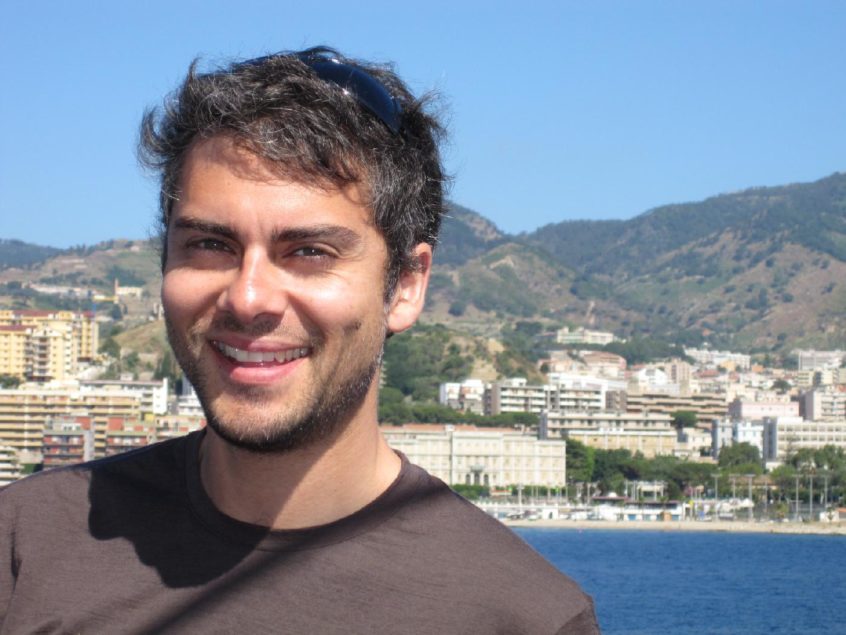
photo credit: Giorgio Montersino
Hey guys, I haven’t formally introduced myself yet here on the BusinessBackpacker.com blog. My name is Cody McKibben and I have partnered with Brooke to start up this little venture to help other freelancers and small business owners take their businesses online, expand their reach by leveraging social media and new communications channels online, and eventually learn to work from anywhere in the world. I’ve been working for myself as a business blog developer and social media consultant since 2006.
Over the last year and a half, I’ve intentionally built my business to be operable from anywhere. This year, I’m working remotely with all of my clients (mostly across the US, Canada, Europe & Australia) and traveling throughout Southeast Asia. You can read more about my adventures in Thailand so far on my blog and you can connect with me on the blog, on Twitter, or you can follow my travel photos & misadventures on my lifestream page.
Anyway. I’m always working hard to keep up with the latest trends, filter through the static, and keep an eye out for important developments in travel and social media, so I’ll try to pop in here and there on Business Backpacker to share valuable articles and resources that I find.
Okay, so the Interview:
Today I wanted to show you an interview with an incredible guy who’s living the extraordinary life that we’re teaching people about here on this site. Kareem Mayan has been freelancing from the road and traveling around the globe since December 2007. He is an exemplary Business Backpacker, calling himself a business nomad. He recently sat down with Andrew Warner, who does some incredible audio interviews at Mixergy.com (if you are interested in building a successful internet company, subscribe to Andrew’s stuff!). Here’s Andrew’s brief summary video of what he learned from his interview with Kareem Mayan:
A few pointers:
- International Banking: Just like Andrew mentions in the video above, Brooke and I ran into trouble just yesterday with her local bank from back home, Wells Fargo. Turns out they’re really incapable when it comes to international customer service, and unfortunately they keep her ATM withdrawals capped at $300 a day, which can be really bad when you’re dealing with unanticipated issues on the road. Everybody in the vagabonding community has good things to say about HSBC.
- Mail Forwarding: Kareem also recommends setting up your mail to be delivered with a company called Earth Class Mail, which we also recommend. That way you can still keep a mailing address for your friends/family/clients, Earth Class Mail will sort through the junk mail and scan/send the important items to your email inbox!
- Backing Up Your Data: We all know how important it is to keep a safe backup of the information and files on your computer. For his freelance work, Kareem uses both a small portable hard drive as a local backup of his laptop, and he uses an online service called Mozy, which runs in the background while you work on your computer and saves an online copy of all your files to your secure web account. Not a bad idea at all, and I’ll definitely be trying them out soon.
- Mobile Technology: In conjunction with Skype for cheap international calls to any phone, Kareem also uses an unlocked GSM phone with a local SIM card at his destination, an ultra-thin power strip to power up his electronics wherever he is, and a cool mini WiFi router that he can plug in to amplify existing WiFi or turn an ethernet connection into his own WiFi network (here’s the Apple equivalent that I use personally).
In the interview, Kareem shares about his travels and more importantly about how to stay focused and continue being productive while you’re in a new environment that’s constantly changing. If you’re interested in working from anywhere in the world, I definitely recommend giving this interview a listen and seeing how Kareem does it! Andrew also lists a few additional tips for working from the road on his post.
Click through to visit the interview on Mixergy.com:
How To Work While Traveling Like A Business Nomad – The Kareem Mayan Interview
or right click on this link to download the audio file to your computer.
You can also follow Kareem Mayan and Andrew Warner on Twitter, or check out Kareem’s travel blog How’s the WiFi?


Twitter Updates
9 January 2009 at 9:07 am
I just checked out Kareem’s site and saw pictures of elephants and sharks. He’s really going to interesting places.
9 January 2009 at 10:26 am
thanks for the review, cody! hopefully we’ll connect in SE Asia at some point and compare tips in person
9 March 2009 at 2:41 pm
I like Mozy, but also like NomaDesk. The WiFi router is a good idea. EarthClass Mail has no peers. Ditto on the unlocked quad phone, and also opt for a WiFi phone to use Skype.
The power strip is OK, but that depends on where you are headed. You may need some conversion plugs. I would be interested in more info on that with regard to how you could mess up your computer.
I am following all of you guys now.
9 March 2009 at 6:14 pm
@distance working the power strip is great but you’re right, you need to use it with a power converter. most of your gear have transformers in them (you can tell if they say they support 110/220v) so you just need to plug your gear into the power strip and plug the power strip into the power converter. you can see my full list of digital nomad gear here.
15 March 2009 at 10:54 pm
@Distance Working, thanks for the additional suggestions! I’ll check ‘em out and see if we can add them to our vagabondin’ list!
@Kareem, thanks for stopping back by to help answer Digital’s question about power strips and share your full gear list! Hope to catch up with you one of these days soon!
25 December 2009 at 6:12 pm
About the pointers:
1. My Partner now uses HSBC Premier, it is unbeatable. She has accounts in the UK, EUrope and Australia and can manage them all from one Global View web page.
2. I have my own virtual office in London, officefront.co.uk. I can thoroughly recommend them (if you wnat to know more contact Peter and tell him I sent you!). They deal with my mail and email it to me, I have a phone number there, they do banking and many other things.
3. In addition to a backup I use Evernote to keep all my documents. Not only does it organise them visually for you but they also sync it online. Essential if you lose your laptop and need to use an internet cafe.
4. Skype and local phone essential in addition to phone with internationally accessible number. I use an ordinary D-Link router for travelling, the pocket one looks interesting. I carry three flexible adaptors and a small extension cable reel. Rooms allways have sockets in difficult to access places.